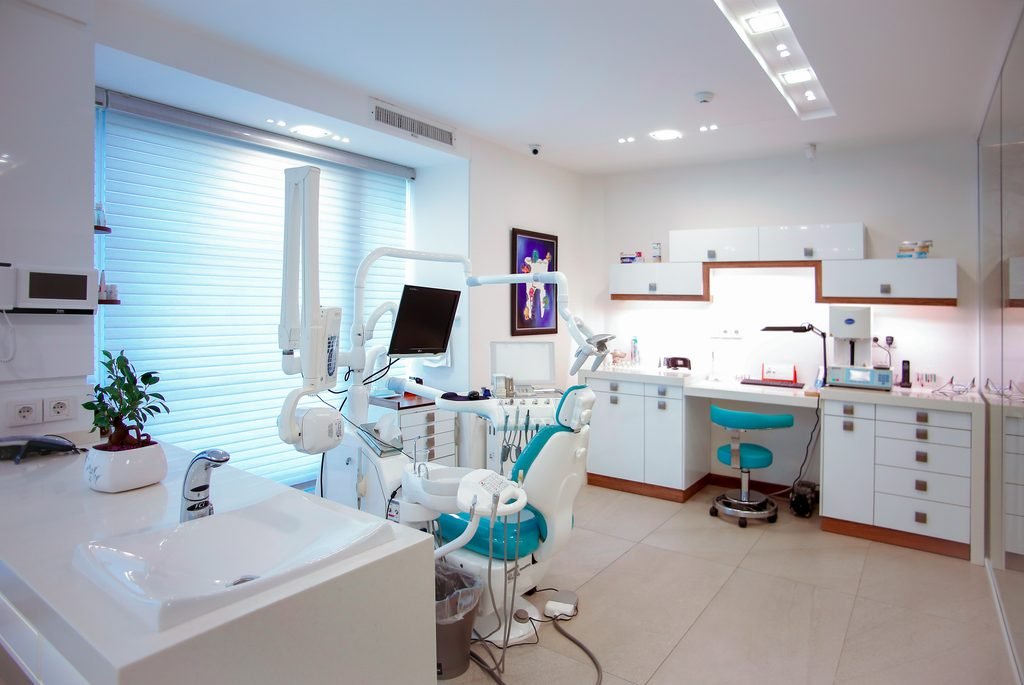

When you open an independent practice, your main priority is welcoming people who need your care and building a steady, predictable consultation schedule.
Many doctors wonder how to attract more patients to your clinic in the early months. The good news is that building healthy patient flow does not require complicated systems or outside dependencies.
Families living within two kilometres of your practice are already searching for care every day. With a clear Google Maps profile and a structured WhatsApp Business desk, you can connect directly with your neighbourhood in less than 10 minutes.
Here is why you should set this up yourself, and how to turn local discovery into confirmed visits.
Why Doctors Should Set Up Their Own Profiles
Your digital presence is simply the digital counterpart of your physical front desk. Setting it up directly offers three distinct advantages:
- Complete Ownership: Your clinic phone number, timings, and address remain under your direct control at all times.
- Instant Accuracy: You and your reception team know your consultation hours, emergency slots, and visit procedures better than anyone else.
- Direct Patient Trust: Patients value reaching the clinic desk directly without confusing intermediaries.
Comparison: Direct Setup vs. Third-Party Management
| What Matters | Setting It Up Directly (10 Mins) | Relying on Third Parties |
| Setup Time | Under 10 minutes once | Days of back-and-forth communication |
| Ongoing Costs | Completely free | Recurring monthly retainers |
| Profile Control | 100% owned by your clinic | Managed under outside accounts |
| Patient Directness | Direct to your reception desk | Potential delays in updating hours |
Step 1: The 5-Minute Google Business Profile Setup
Google Maps functions as your modern neighbourhood signboard. When someone needs medical care nearby, Google shows them the closest verified practices. A complete listing makes it effortless to get more patients into your practice.
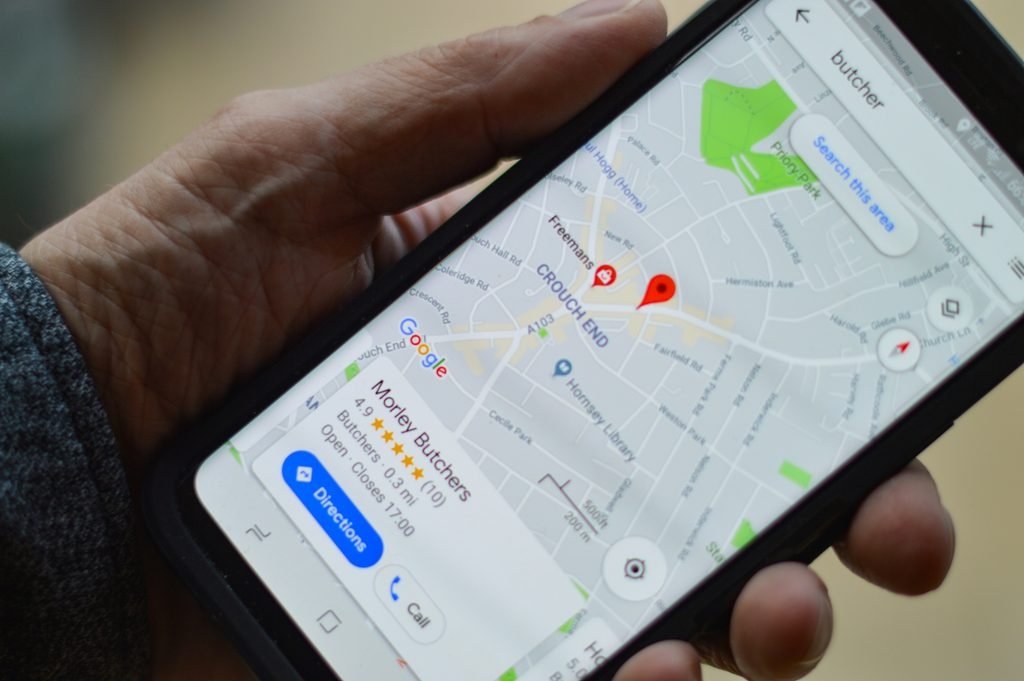
- Claim Your Pin: Sign in to Google Business Profile with your official clinic email. Drop your map pin accurately on your building entrance.
- Select the Exact Speciality: Choose a specific category (such as Dental Clinic, Paediatrician, or Dermatologist) rather than a generic tag like Medical Centre.
- Upload Three Trust Photos: Add clear photos of your outdoor clinic signboard, your clean reception counter, and your consultation room so patients recognise your clinic easily.
- Publish Real OPD Timings: Clearly state your morning and evening consultation windows.
Step 2: The 5-Minute WhatsApp Business Setup
Once a neighbour spots your clinic on Google, their immediate next step is usually checking availability or booking a slot. WhatsApp acts as your reception counter, showing you how to increase OPD patients without phone chaos.
- Dedicated Number: Keep your personal messages and clinic appointments separate.
- Clean Clinic Profile: Add your logo, doctor credentials, and your Google Maps location link in the bio.
- Quick-Reply Shortcuts: Save 2-tap shortcuts for the three most common patient questions:
/timings– Shares morning and evening consultation slots./fees– States consultation charges transparently./location– Sends your exact Google Maps pin and landmark directions.
Turning Inquiries into Confirmed Consultations
Setting up your profiles takes 10 minutes, but learning how to increase patient flow in clinic comes down to what happens after the phone rings:
- Prompt Confirmation: Lock the time slot immediately so callers don’t browse other clinics.
- Gentle Reminders: A polite reminder message sent a few hours before the appointment reduces no-shows significantly.
- Smooth Front-Desk Coordination: Ensure your receptionist records patient details, manages daily queues, and welcomes walk-ins smoothly.
A Ready-to-Use Operational System for Your OPD
If you want step-by-step guidance to set this up alongside your daily clinical schedule, we packaged the complete process inside The Doctor’s Clinic Launch Kit.
Instead of guessing what to write or figuring out systems from scratch, the kit gives you:
- The Step-by-Step Google & WhatsApp Blueprints: Detailed checklists and video guides to verify your clinic pin and optimise local discovery fast.
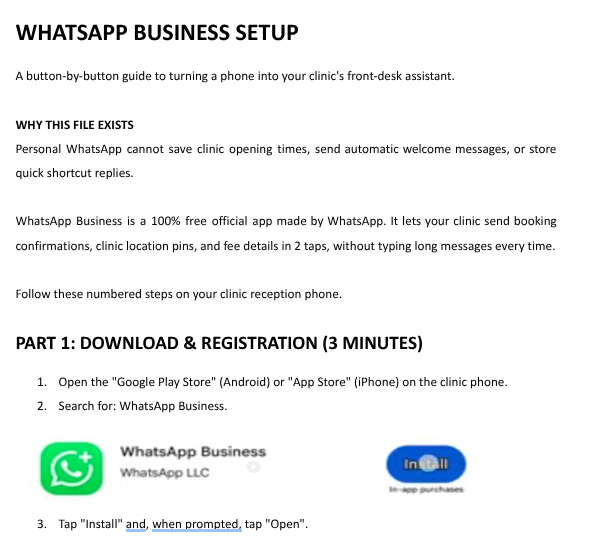
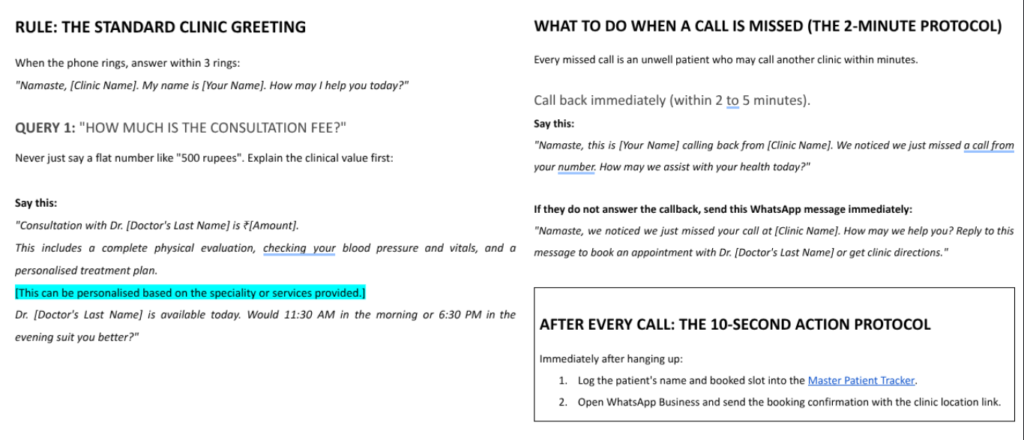
- Front-Desk Call Scripts: Word-for-word guides so your staff answers inquiries politely, quotes fees with confidence, and books visits without hesitation.
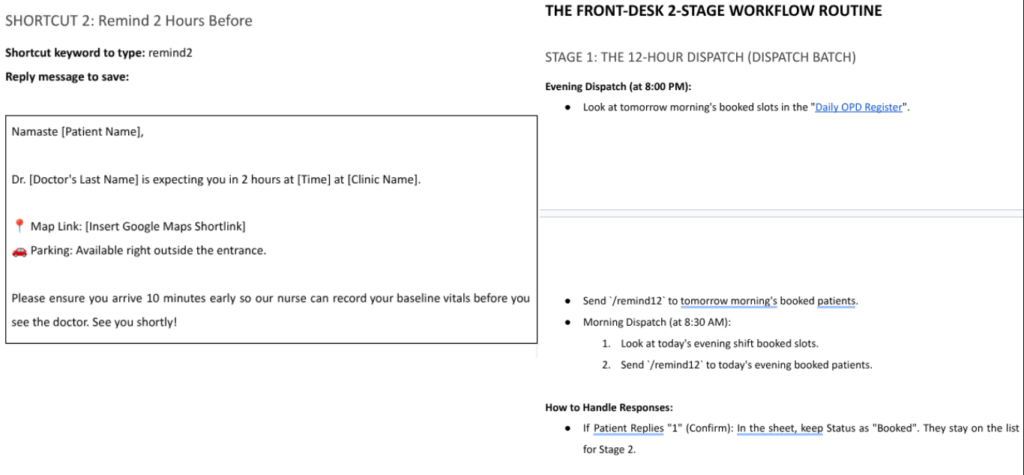
- Timed WhatsApp Reminders: Automated message templates designed to stop appointment drop-offs and keep consultation chairs full.
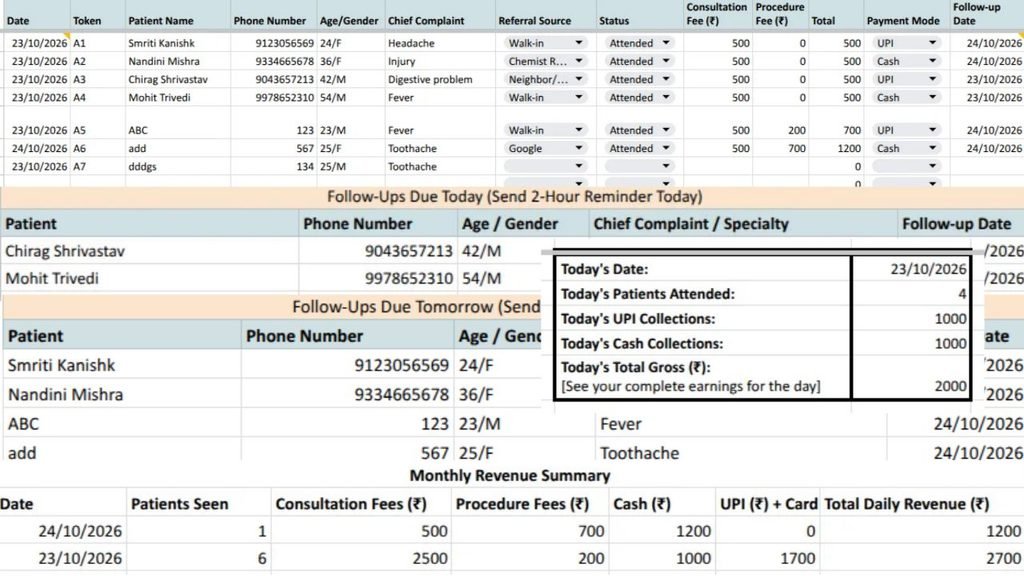
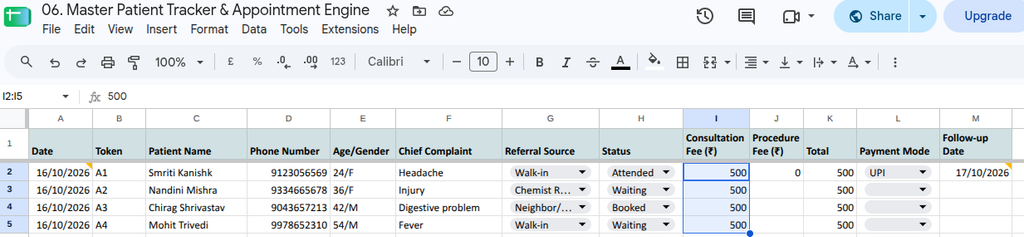
- Master Patient Tracker & Intake Slips: Ready-to-use Google Sheets and printable patient forms that keep your daily OPD organised without monthly software subscriptions.
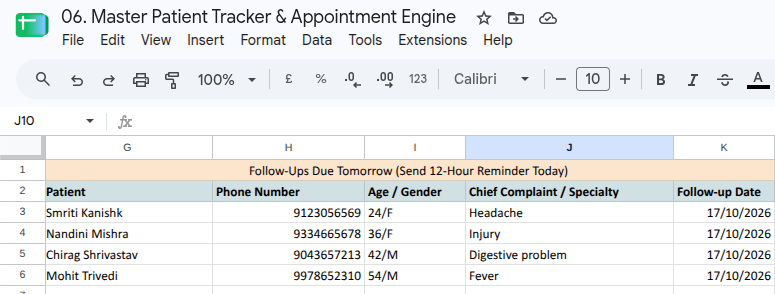
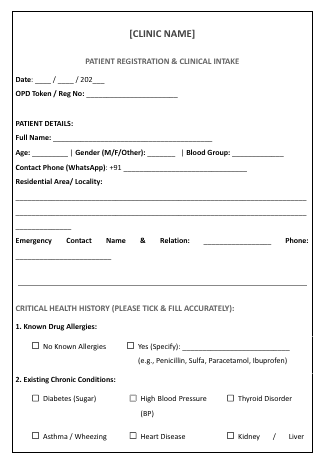
Everything is editable, runs entirely on standard Google Workspace tools, and gives you full operational control of your practice from Day 1.
👉 Get instant access to The Doctor’s Clinic Launch Kit & put these front-desk systems to work.
Frequently Asked Questions (FAQs)
1. Why shouldn’t I hire a digital marketing agency to handle our Google Maps setup?
Setting up a Google Business Profile requires entering your physical address, consultation hours, and phone verification. Because it takes under 10 minutes and requires details only you or your front desk know best, paying an agency a monthly retainer is unnecessary. Managing it directly also ensures that your login credentials, patient reviews, and clinic contact numbers always remain 100% under your ownership.
2. Does my clinic need an official website before registering on Google Maps?
No. You do not need a paid website or software subscription to appear on Google Maps. You can register your Google Business Profile for free and link your dedicated WhatsApp Business chat directly in the appointment/contact button. When neighbours search for a doctor nearby, they can text your reception counter immediately to confirm availability.
3. How soon will our clinic start appearing on Google Maps after setup?
Once you complete Google’s basic verification (often done instantly via phone SMS, video verification, or official email), your profile typically goes live within 24 to 48 hours. Adding clear photos of your signboard, consultation room, and exact speciality category helps Google index your location faster for nearby patient searches.
4. How does WhatsApp Business help reduce patient no-shows?
Many empty slots happen simply because patients forget or lose track of clinic timings. With WhatsApp Business, your reception desk can send automated confirmation notes and polite reminder templates (such as 12 hours and 2 hours prior to the slot). Giving patients an easy, 2-tap way to confirm or reschedule protects your chair time and keeps your daily queue predictable.
5. What if my front-desk staff has never used Google Workspace or WhatsApp Business?
The setup is designed to be straightforward and non-technical. Inside The Doctor’s Clinic Launch Kit, we provide step-by-step written blueprints and video walkthroughs in plain language (both English and conversational Hindi). Your receptionist can follow the ready-made phone scripts, appointment trackers, and quick-reply templates to manage daily inquiries smoothly from Day 1.